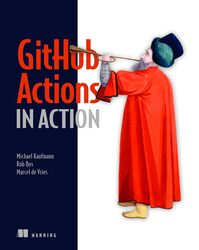
Rating: 7.8/10.
Book focused on GitHub Actions and useful for developers and DevOps; some are obvious to a practicing SDE, but many advanced features like self-hosted runners, security, etc, are new to many developers.
Chapter 1: The GitHub ecosystem has a variety of tools for developers, including editing, planning, and clients on all devices, including CLI, security features, CI/CD, etc. GitHub Actions is defined using a YAML file, and this is one step of a workflow. Pricing is permitted on GitHub’s compute, or you can self-host a runner or even the whole server for enterprise use cases.
Chapter 2: a walkthrough of how to create a workflow and set it to trigger on a push or on demand, with steps like checking out a repo and then viewing a run on the UI.
Chapter 3: Details of workflows. A workflow trigger can be done on an event like a branch push, schedule, or by invoking manually with a specific branch. Manual triggers can be done from the UI, the GitHub CLI, or the API. Workflow steps are defined in the YAML, and you can copy one, run them in parallel or sequentially, and can reference pre-built actions with a name and version and pass parameters in.
Matrix allows parallel running of a Cartesian product of parameters. You can reference variables, which are like properties of jobs, like the runner OS and Git branch, and emit annotations that appear on the PR attached to a line of code, and emit a job summary rendered in markdown format. Secrets can be set on an organization, repo, or environment level, and every workflow comes with a GitHub token, usually with read-only permissions on the repo, but can be set to write.
Chapter 4: An action can be defined with a Docker image, JavaScript file entry point, or sequence of shell steps. You can create an action in a repo and publish it to the marketplace and release with semantic versioning. The chapter goes on to a walkthrough of defining an action in a Dockerfile, passing inputs and outputs to it from a workflow, and publishing the action in the marketplace, and then referencing the published action in the workflow.
Chapter 5: A runner is an application that looks for jobs to run by matching on tags, and that job exists in a queue until it’s picked up by a runner. It’s often hosted by GitHub; you can specify the OS and version or just use the latest for convenience. A runner is pre-packaged with a set of common libraries like compilers, shell, etc, you can install your own if it is not pre-packaged. Runners are priced by the minute, with more charges for larger VMs, artifact storage, and there are premium charges for Windows and macOS runners.
Chapter 6: Self-hosted runners work by making a request to GitHub with an authentication token while declaring what tags it’s supposed to match, and then it will only match the jobs that match on all tags. It gets a job from the server with a long poll, there is no inbound connection into your network. The runner has no knowledge of the GitHub side and deactivates if it stops taking jobs for a number of days, and can auto-update itself. There are various security risks like cache poisoning attacks on reused runners. It’s best not to run any untrusted sources that might poison future runs, but for best security it’s best to use ephemeral runners that exist for just one run, where the supervisor listens for new jobs and spawns a runner in a container. Auto-scaling is possible with the Actions Runner Controller (ARC) that’s managed by GitHub that you host on your own Kubernetes cluster.
Chapter 7: Runner groups can be used to group tasks by resources required and security isolation; each runner is in one group. ARC handles auto-scaling a runner group and basic status, but you need other tools for advanced monitoring like Grafana or Prometheus. Other advanced monitoring like network monitoring or hardening, self-hosted runner cost by repo, etc. are generally not available on GitHub or are possible with third-party tools.
Chapter 8: Continuous Integration (CI) steps in a real project include getting the source, building and testing it, and publishing the test results. CI for deployment: you can build a package, handle versioning, upload artifacts, and deploy with actions. It’s often good to build and upload the build artifacts in one step and then download them in the deploy step. Workflows can also do security screening checks, test version and platform compatibility in a matrix; the engineer should decide what steps should happen in development, when the PR is ready, and when it is merged.
Chapter 9: Continuous deployment (CD) usually involves several steps of building and verifying in one environment before promoting it to the next one, eg dev, staging, and prod. Each one should be a named environment that has its own set of config and secrets that are referenceable by the workflow. GitHub can deploy to Azure, AWS, and GCP using OIDC for authentication. A deployment pipeline consists of progressively deploying to a “ring”, validating, and then expanding the ring after some checks and time passes, and then using automated health checks and tests to determine whether to proceed or roll back.
Chapter 10: Security. Most triggers only run on users who already have write access to a repo. The most risky is the pull request trigger, and an external attacker can exploit it so you should consider everything there to be untrusted, including usually innocuous fields like the hash, which can be exploited in some cases using some shell expansion tricks. A useful pattern is to run a low-privilege action on untrusted code first to package it into an artifact, and then the higher-privilege action just downloads the artifact without needing to run any untrusted code.
Chapter 11: Compliance features of GitHub include signing commits to ensure an authentic commit history, code owners, firewalls to enforce reviews by certain people, and mandatory workflows before branches are merged.
Chapter 12: Performance at scale. Concurrency groups allow for automatic cancellation of jobs if a new one with the same parameters is triggered. A merge queue can deal with a large frequency of commits on a team while ensuring that the main branch is always safe; caching of package download steps can be added to be more efficient.